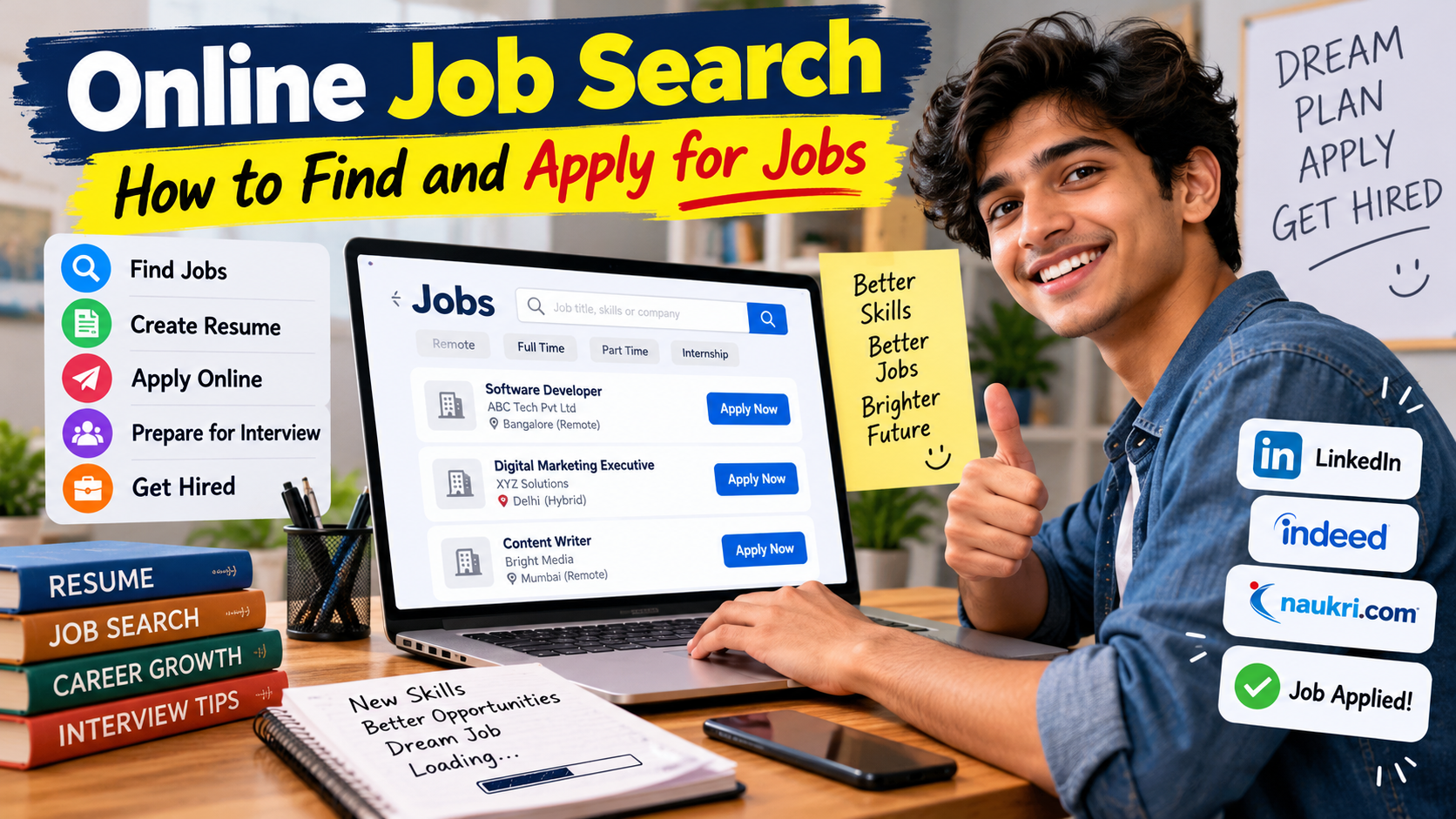

Online job search simply means looking for job opportunities using the internet.
Instead of visiting different offices with a printed resume, you can search for vacancies from your phone or computer.
You can find jobs through:
- Job search websites
- Company career pages
- Professional networking websites
- Government job portals
- Recruitment agencies
- Company social media pages
- College placement portals
- Employee referrals
For example, if you are looking for a customer support job, you can search for terms like:
- Customer Support Executive
- Customer Care Executive
- Customer Service Associate
- Support Executive
- Customer Relationship Executive
This is important because companies don’t always use the same job title for similar work.
If you search only one title, you may miss several good opportunities.
Table of Contents
Why Is Online Job Search Better Than Random Job Hunting ?
The biggest advantage is convenience.
You can search for jobs from your home, hostel, office, or even while sitting in a chai shop.
You can also apply to multiple companies in a short time.
But convenience is not the only benefit.
1. You Can Find More Jobs
Online platforms can show jobs from different cities and companies in one place.
For example, if you want an IT job in Bengaluru, you don’t have to physically visit 20 companies.
You can search online and shortlist the relevant positions.
2. You Can Filter Jobs
Most job websites allow you to filter jobs by:
- Location
- Salary
- Experience
- Job type
- Industry
- Remote or work from home
- Date posted
- Education level
This saves a lot of time.
3. You Can Apply Quickly
Some job listings allow you to apply within a few minutes.
But remember, fast application does not mean careless application.
Read the job description before clicking that big shiny “Apply” button.
4. You Can Track Applications
You can maintain a simple spreadsheet or notebook showing:
| Company | Job Role | Date Applied | Status |
|---|---|---|---|
| ABC Pvt Ltd | Sales Executive | Oct 5 | Applied |
| XYZ Tech | Support Executive | Oct 6 | Interview |
| Example Ltd | Data Entry | Oct 7 | Waiting |
This simple habit can save you from the classic problem:
“Wait… maine is company me apply kiya tha ya nahi ?”
How to Start an Online Job Search
Before you start searching, spend a little time preparing yourself.
Don’t worry. You don’t need a three – hour motivational seminar.
Just answer a few basic questions.
Ask Yourself These Questions
- What type of job do I want ?
- What skills do I have ?
- What qualification do I have ?
- How much experience do I have ?
- Which location do I prefer ?
- Am I comfortable with remote work ?
- What salary range am I expecting ?
- Am I looking for full-time, part – time, internship, or contract work ?
Once you know these answers, your job search becomes much more focused.
Step 1: Decide What Type of Job You Want
This is the first important step.
Suppose you completed B.Com.
You don’t have to search only for “B.Com Jobs”.
You can search for:
- Accountant
- Junior Accountant
- Accounts Executive
- Billing Executive
- Finance Assistant
- Back Office Executive
- MIS Executive
- Accounts Assistant
Similarly, someone with basic computer knowledge can search for:
- Data Entry Operator
- Computer Operator
- Office Assistant
- Back Office Executive
- Customer Support Executive
- Documentation Executive
The trick is to think about skills and responsibilities, not just your degree.
Your degree opens the door.
Your skills help you enter the room.
Step 2: Make a Professional Resume
Your resume is one of the most important parts of your job search.
Think of your resume as your first introduction to a recruiter.
Before meeting you, the recruiter may see your resume.
So don’t make it look like a school project from 2012.
A good resume should be:
- Simple
- Clean
- Easy to read
- Relevant to the job
- Free from major spelling mistakes
- Properly structured
What Should You Include in a Resume ?
Usually, your resume can contain:
Contact Information
Include:
- Full name
- Phone number
- Professional email
- City and state
- LinkedIn profile if relevant
Avoid using an unprofessional email address.
For example:
may not give the best impression.
Something like:
looks much more professional.
Career Summary
Write 2 – 4 lines explaining who you are and what kind of role you are looking for.
Keep it simple.
Skills
Mention skills that actually match the job.
For example:
- MS Excel
- Communication
- Customer Support
- WordPress
- Data Entry
- Basic HTML
- Digital Marketing
Don’t write 30 skills just to make your resume look impressive.
If you cannot explain a skill during an interview, don’t put it there.
Education
Mention:
- Degree
- College or university
- Passing year
- Relevant certification
Work Experience
If you have experience, mention:
- Company
- Job title
- Duration
- Main responsibilities
- Achievements if possible
Projects
Freshers can use projects to show practical knowledge.
For example, a computer science student can mention:
- College project
- Website project
- Mobile app
- Coding project
- Internship project
Step 3: Create a Professional Email Address
This small thing matters more than people think.
Your email address should look professional.
Good examples:
Avoid funny usernames when applying for serious jobs.
Your recruiter doesn’t need to know your gaming username from 2018.
Step 4: Choose the Right Job Search Websites
There are many websites where you can search for jobs.
Don’t create accounts on every website you find.
Start with a few reliable platforms.
Indeed
Indeed India Job Search is a popular platform where you can search by job title, keyword, company, city, state, or remote work.
You can search terms such as:
- Software Developer
- Accountant
- Customer Support
- Digital Marketing
- Sales Executive
- Work From Home
LinkedIn Jobs is useful for both job searching and professional networking.
You can search by:
- Job title
- Company
- Location
- Skills
- Experience level
- Remote jobs
LinkedIn also allows you to create job alerts and build a professional profile.
National Career Service
For jobseekers in India, National Career Service (NCS) is a Government of India platform.
NCS provides job search services along with career-related resources. It also clearly warns jobseekers not to pay employers for job applications or recruitment services.
This is especially useful if you are searching for jobs in India and want to check government-supported career resources.
Step 5: Search Using the Right Keywords
This is one of the biggest secrets of a successful online job search.
Don’t search only for:
“job”
That’s too broad.
Instead, use specific search terms.
For example:
If You Are a Fresher
Try:
- Fresher jobs
- Graduate jobs
- Entry level jobs
- Jobs for freshers
- B.Com fresher jobs
- BCA fresher jobs
- BBA fresher jobs
If You Want Remote Work
Try:
- Remote customer support jobs
- Work from home jobs
- Remote data entry jobs
- Remote content writer jobs
- Remote developer jobs
If You Want a Specific City
Try:
- Accountant jobs in Delhi
- IT jobs in Bengaluru
- Sales jobs in Mumbai
- Back office jobs in Lucknow
- Customer support jobs in Noida
The more specific your search, the better the results can become.
Step 6: Read the Job Description Carefully
Never apply just because the job title looks good.
Read the entire job description.
Check:
- Required education
- Experience
- Skills
- Location
- Salary
- Working hours
- Job responsibilities
- Employment type
- Application deadline
- Company information
For example, imagine a job says:
“Customer Support Executive – Night Shift”
You apply without reading it.
Then during the interview they say:
“Night shift mandatory.”
And you say:
“Sir, main to raat me sota hoon.”
That’s why reading the job description is important.
Step 7: Check Whether You Are Eligible
Before applying, compare the requirements with your profile.
Suppose the company requires:
- Graduation
- 2 years experience
- Advanced Excel
- Good English
And you have:
- 10th pass
- No experience
- Basic Excel
Applying is not always useful.
Instead, find jobs where you match most of the requirements.
You don’t need to match 100 % of every requirement, especially when the listing says some skills are preferred rather than mandatory.
But don’t apply randomly to everything.
Quality applications usually beat hundreds of careless applications.
Step 8: Customize Your Resume for Each Job
This is one of the most useful job application tips.
Don’t use exactly the same resume for every position.
Suppose you are applying for a digital marketing job.
Your resume should highlight:
- SEO
- Social media
- Google Analytics
- Content writing
- Keyword research
- Paid advertising
If you are applying for an accounting position, highlight:
- MS Excel
- Tally
- GST knowledge
- Bookkeeping
- Invoicing
- Financial reporting
Your experience may remain the same, but the way you present it can change.
This helps the recruiter quickly understand why you may be suitable for the role.
Step 9: Write a Short Cover Letter When Needed
Not every job needs a cover letter.
But if the company asks for one, don’t submit a blank or copied paragraph.
Keep it short.
Explain:
- Who you are
- Which position you are applying for
- Why you are interested
- What relevant skills you have
Don’t write a five – page emotional autobiography.
Recruiters are busy people too.
Step 10: Apply Through the Correct Website
Whenever possible, verify the company and job listing before submitting personal information.
You may find a job listing on a third – party website.
That’s fine.
But if the company has an official careers page, checking that page can provide another way to verify the vacancy.
Be careful with websites that ask for money before:
- Interview
- Job confirmation
- Document verification
- Offer letter
- Training
- Joining
A genuine employer may have legitimate hiring processes, but a demand for money from a random recruiter is a major warning sign.
The National Career Service specifically warns jobseekers that its services are free and says jobseekers should not pay fees to employers.
How to Identify Fake Job Offers
Unfortunately, online job searching also comes with scams.
Some fake recruiters make very attractive offers.
For example:
“Earn Rs. 80,000 per month from home with no experience.”
Sounds amazing, right ?
Sometimes it is also amazing that people still believe it.
You should be careful.
Common Warning Signs
Be suspicious when someone:
- Guarantees a job without an interview
- Demands money for a job
- Asks for your banking PIN
- Requests your OTP
- Asks for unnecessary payment
- Uses a random email address
- Pressures you to act immediately
- Promises unrealistic salary
- Sends suspicious links
- Refuses to provide company details
Never share:
- OTP
- ATM PIN
- UPI PIN
- Internet banking password
- Card CVV
A recruiter does not need your UPI PIN to hire you.
If someone asks for it, run faster than your internet connection during a power cut.
Online Job Search for Freshers
Freshers often think:
“I have no experience, so nobody will hire me.”
That’s not completely true.
Every experienced employee was once a fresher.
If you are a fresher, focus on:
- Education
- Skills
- Internships
- Projects
- Certifications
- Communication
- Volunteer experience
- Practical work
Good Jobs for Freshers
Depending on your qualification and skills, you can search for:
- Customer Support Executive
- Sales Executive
- Data Entry Operator
- Back Office Executive
- HR Assistant
- Digital Marketing Executive
- Content Writer
- Junior Accountant
- IT Support
- Software Trainee
- Business Development Executive
- Operations Executive
Don’t reject a job simply because the title is not glamorous.
Your first job is often about gaining experience.
Once you have experience, better opportunities usually become easier to target.
Online Job Search for Experienced Professionals
If you already have experience, your strategy should be slightly different.
Don’t apply everywhere.
Focus on jobs where:
- Your experience matches
- Your skills match
- Salary is reasonable
- Location works for you
- Career growth looks useful
For example, if you have five years of experience in digital marketing, searching only for “jobs” wastes time.
Search for:
- Digital Marketing Manager
- SEO Manager
- Performance Marketing Manager
- Growth Marketing Manager
- SEO Specialist
- Content Marketing Manager
This makes your search much more targeted.
How to Find Work From Home Jobs
Remote work has become an attractive option for many people.
But be careful.
The phrase “work from home” is often used by scammers because people are attracted to flexible work.
When searching for remote jobs, check:
- Company name
- Official website
- Job description
- Required skills
- Interview process
- Salary details
- Employment terms
Good remote job searches can include:
- Remote customer support
- Remote software developer
- Remote content writer
- Remote graphic designer
- Remote digital marketer
- Remote virtual assistant
Don’t assume every work – from – home advertisement is genuine.
Verify it before sharing personal information.
How Many Jobs Should You Apply For Every Day ?
There is no magic number.
Some people say apply to 100 jobs every day.
Honestly, that can become pointless.
If you are sending the same resume to 100 unrelated jobs, you are mostly increasing the number of rejection emails.
A better target could be:
5-15 relevant applications per day.
Focus on quality.
For each application:
- Read the job description.
- Check eligibility.
- Customize your resume.
- Verify the company.
- Apply correctly.
- Save the application details.
Five good applications can be more useful than fifty random ones.
Create a Job Application Tracker
A simple spreadsheet can make your job search much easier.
Create columns for:
- Company
- Job title
- Location
- Salary
- Application date
- Application link
- Contact person
- Interview date
- Status
- Follow-up date
Example:
| Company | Role | Applied | Status |
|---|---|---|---|
| ABC Ltd | HR Assistant | Oct 5 | Applied |
| XYZ Pvt Ltd | Recruiter | Oct 6 | Interview |
| Tech Corp | HR Executive | Oct 7 | Waiting |
This also helps you avoid applying twice to the same vacancy.
Read also :- Step – by – Step Guide to Apply for Jobs Online
What to Do After Applying for a Job
Applying is not always the end.
If the company provides a contact method or application portal, monitor it professionally.
Check your:
- Spam folder
- Phone
- Job portal notifications
- LinkedIn messages
If a follow – up is appropriate, keep it short and polite.
For example:
“Hello, I recently applied for the Customer Support Executive position. I wanted to check if there is any update regarding my application. Thank you.”
That’s enough.
Don’t send:
“Sir please reply.”
Then five minutes later:
“Sir ?”
Then:
“Hello sir ?”
Please don’t become a notification machine.
How to Prepare for an Online Job Interview
After a successful application, you may get an online interview.
Before the interview:
Check Your Internet
Make sure your internet connection is stable.
Test Your Camera
You don’t want to spend the first five minutes trying to find the camera button.
Check Your Microphone
Do a quick audio test.
Choose a Quiet Place
Avoid noisy surroundings.
Dress Properly
You don’t necessarily need a three – piece suit.
But don’t attend an interview wearing the same clothes you use for sleeping.
Keep Your Resume Nearby
The interviewer may ask questions based on your resume.
So know what you have written.
Common Online Interview Questions
You should prepare answers for questions like:
Tell Me About Yourself
Keep your answer related to your education, experience, skills and career goals.
Why Do You Want This Job ?
Talk about the role, company and how your skills match the position.
What Are Your Strengths ?
Mention real strengths connected to the job.
What Is Your Weakness ?
Don’t say:
“My weakness is that I work too hard.”
Recruiters have heard that one approximately 8 million times.
Give a genuine but manageable weakness and explain how you are improving it.
Why Should We Hire You ?
Explain how your skills and experience can help the company.
Common Mistakes People Make During Online Job Search
Let’s talk about mistakes.
Because knowing what not to do can save you a lot of time.
Mistake 1: Applying Without Reading
Don’t apply blindly.
Mistake 2: Using One Resume Everywhere
Customize it when needed.
Mistake 3: Fake Information
Never lie about education or experience.
A recruiter may verify it.
Mistake 4: Ignoring Spelling Mistakes
A resume full of errors looks careless.
Mistake 5: Paying Random Recruiters
Be extremely careful with payment requests.
Mistake 6: Applying Only to Big Companies
Big companies are not the only source of good jobs.
Smaller companies can provide valuable experience too.
Mistake 7: Giving Up Too Early
Getting a job can take time.
One rejection doesn’t mean you are not good enough.
It simply means that particular opportunity didn’t work out.
How to Improve Your Chances of Getting Hired
If you want better results, improve yourself while searching.
Spend some time every day learning.
You can improve:
- English communication
- Excel
- Coding
- SEO
- Digital marketing
- Accounting
- Sales
- Graphic design
- Interview skills
- Industry – specific knowledge
Even 30 – 60 minutes of learning every day can add up.
Imagine spending three months improving one useful skill.
That’s around 90 days of progress.
Small improvements look boring today, but they can become very useful later.
Build Your LinkedIn Profile
If you are serious about your career, having a professional LinkedIn profile can help.
Use a clear profile photo.
Write a simple headline.
For example:
Digital Marketing Executive | SEO | Content Marketing | Google Analytics
Instead of:
Looking for job urgently please help
Keep your profile professional.
Add:
- Education
- Experience
- Skills
- Projects
- Certifications
- Portfolio
- Relevant achievements
And connect with people from your industry.
Don’t randomly send:
“Hi sir give me job.”
Start with professional communication.
Create Job Alerts
Job alerts can save time.
Instead of manually searching every few hours, create alerts for relevant roles.
For example:
- Software Developer
- Accountant
- Customer Support
- Digital Marketing
- Remote Content Writer
Use filters for location and experience level.
This way, new opportunities can come to you instead of you hunting for them all day.
Don’t Depend on Only One Job Website
This is another important point.
Don’t put all your eggs in one basket.
Use a combination of:
- Job portals
- Company career pages
- Government job portals
- Employee referrals
- Professional networking
- Local opportunities
For India, NCS is one useful government-supported resource, while Indeed and LinkedIn can help with broader job searches.
Read also :- Step – by – Step Guide to Apply for Jobs Online
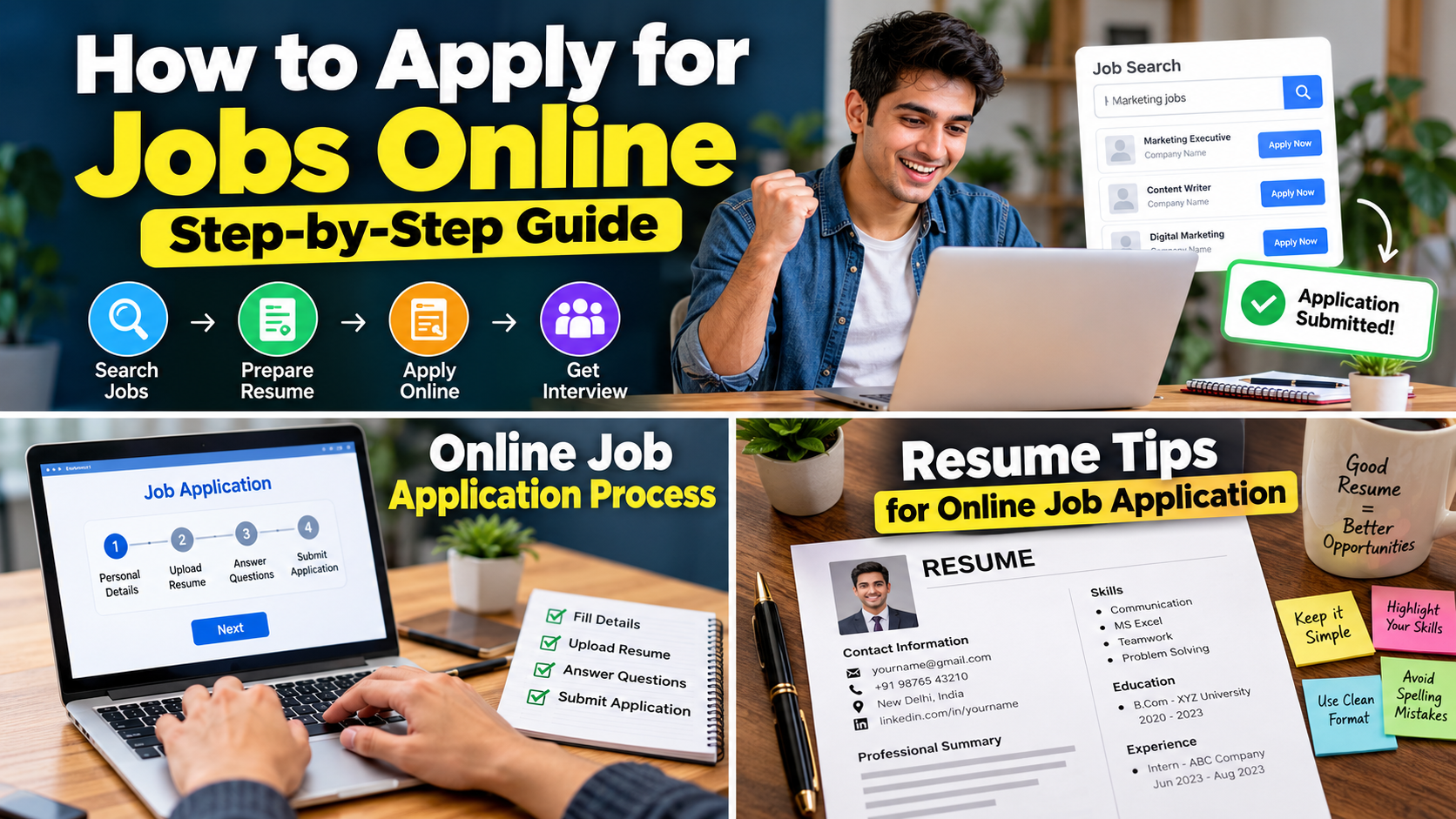
How to Apply for Jobs Online Step by Step
If you want a simple process, follow this checklist.
Step 1
Decide your target job role.
Step 2
Prepare a professional resume.
Step 3
Create professional profiles on relevant job websites.
Step 4
Search using specific job keywords.
Step 5
Filter jobs by location, experience and job type.
Step 6
Read the complete job description.
Step 7
Check whether you are eligible.
Step 8
Verify the company.
Step 9
Customize your resume if necessary.
Step 10
Complete the application carefully.
Step 11
Save your application details.
Step 12
Prepare for interviews.
Step 13
Follow up professionally when appropriate.
That’s the complete process.
Simple, right ?
The difficult part is usually not understanding the process. The difficult part is staying consistent.
A Simple Daily Job Search Routine
If you are actively looking for a job, create a daily routine.
For example:
Morning – 30 minutes
Check new job listings.
Next 30 minutes
Shortlist relevant jobs.
Next 60 minutes
Apply to quality positions.
Afternoon – 30 minutes
Improve one skill.
Evening – 20 minutes
Check emails and application updates.
Before sleeping – 10 minutes
Update your job tracker.
You don’t need to spend 12 hours refreshing job websites.
That’s not job searching.
That’s just staring at the internet with hope.
My Honest Opinion About Online Job Search
In my opinion, the biggest mistake people make is treating job searching like a lottery.
They apply to 100 jobs and hope one company randomly calls them.
A better approach is to treat it like a process.
Search smarter.
Improve your resume.
Apply to relevant jobs.
Learn useful skills.
Build professional connections.
Track your applications.
Avoid scams.
And keep going.
I also believe that freshers should not become obsessed with getting the “perfect job” as their first job.
Your first job may not have the biggest salary.
That’s okay.
Your first job can give you experience, confidence, professional contacts and a better understanding of the industry.
Later, those things can help you move to better opportunities.
Final Tips for a Successful Job Search
Before you finish your next application, remember these points:
- Keep your resume updated.
- Use a professional email.
- Search with multiple job titles.
- Read job descriptions carefully.
- Apply only to relevant jobs.
- Customize your resume.
- Verify companies.
- Never share OTP or UPI PIN.
- Be careful with job scams.
- Track your applications.
- Prepare for interviews.
- Improve your skills.
- Use job alerts.
- Build professional connections.
- Don’t lose confidence after rejection.
Most importantly, be patient.
Finding a job is not always quick.
Sometimes you may apply to ten jobs and get no response.
Sometimes you may apply to one job and get an interview.
You never know which application will open the next door.
Read also :- Step – by – Step Guide to Apply for Jobs Online
Frequently Asked Questions About Online Job Search
1. What is the best way to search for jobs online ?
The best way is to use reliable job portals, company career pages, professional networking websites and government-supported job portals. Use specific job titles, location and experience filters instead of searching for “jobs” only.
2. How can freshers find jobs online ?
Freshers should search for entry-level positions, internships, trainee roles and jobs matching their education and skills. They should also create a clean resume and highlight projects, certifications and practical skills.
3. Is online job search safe ?
Yes, online job searching can be safe when you use trusted platforms and verify companies. Never share sensitive information such as OTP, UPI PIN, passwords or banking credentials with recruiters.
4. Should I apply for every job I find ?
No. It is better to apply for relevant jobs where your education, skills and experience match the requirements.
5. How many jobs should I apply for every day ?
There is no fixed number. A practical target can be around 5-15 relevant applications per day, depending on your time and the type of jobs you are targeting.
6. How can I find work from home jobs ?
Search for remote or work-from-home positions on established job platforms and company career pages. Always verify the employer before providing personal information or accepting an offer.
7. Why am I not getting replies after applying ?
Possible reasons include a weak resume, high competition, applying for unrelated positions, missing required skills or applying after a vacancy has already received many candidates.
8. Should freshers include projects on their resume ?
Yes. Projects can help demonstrate practical skills when you don’t have professional experience.
9. Is it necessary to have a LinkedIn profile ?
It is not mandatory for every job, but a professional LinkedIn profile can help with networking, job discovery and recruiter visibility.
10. Can I get a job without experience ?
Yes. Many companies hire freshers for entry – level roles, internships and trainee positions. Focus on your skills, education, projects and willingness to learn.
Read also :- Step – by – Step Guide to Apply for Jobs Online
Final Words
Finding a job online is much easier when you stop applying randomly and start following a proper process. A successful online job search is not about sending hundreds of applications every day. It is about finding relevant jobs, preparing a good resume, applying carefully, improving your skills and staying consistent.
Don’t get discouraged if you don’t receive a reply from your first few applications. Keep improving, keep learning and keep applying to the right opportunities. Your next job can be just one good application away.


Pingback: Best Skills to Learn for High Paying Jobs in India