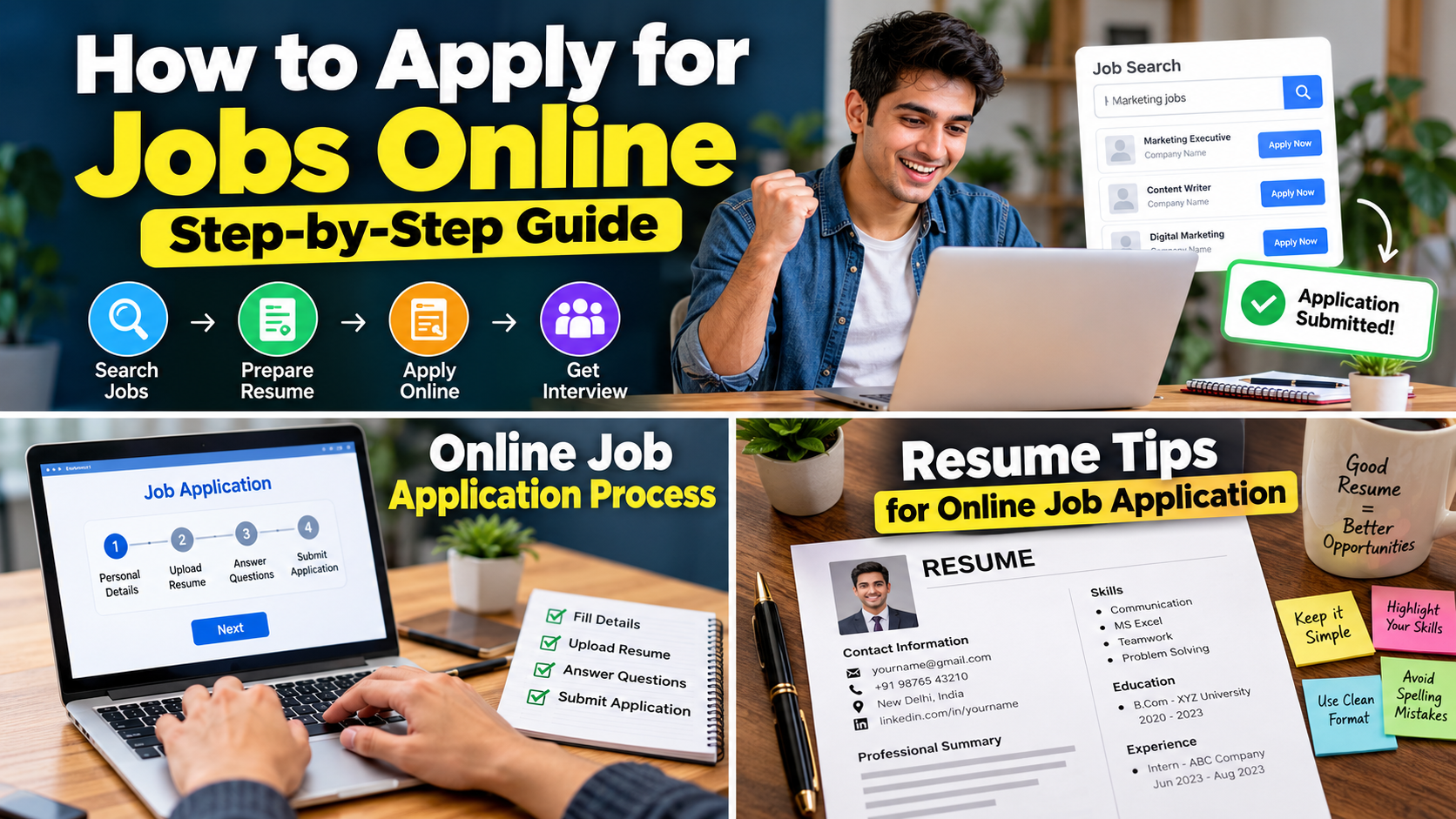

Finding a job today is very different from what it was a few years ago. Earlier, you might have printed your resume, worn your best shirt and walked from one office to another asking, “Sir, vacancy hai ?”
Now things have changed.
You can search for a job while sitting at home, apply from your phone and sometimes even attend the interview without leaving your room.
But there is one small problem.
There are thousands of jobs online, and many people do not know how to apply correctly.
Some people send the same resume to every company. Some apply without reading the job description. Others click on every “Work From Home – Earn Rs 50,000 per month” message they see.
And then they wonder why nobody calls them.
If you are also confused about how to apply for jobs online, don’t worry. In this guide, I will explain the complete process in very simple language.
From finding the right job to preparing your resume, filling out application forms, avoiding fake jobs and following up after applying, we will cover everything step by step.
So grab your phone, open your notes app and let’s start.
Table of Contents
What Does Applying for a Job Online Mean?
Applying for a job online simply means sending your job application through the internet instead of visiting the company’s office physically.
Usually, an online job application includes:
- Your name and contact details
- Resume or CV
- Educational qualifications
- Work experience
- Skills
- Portfolio or LinkedIn profile
- Cover letter, if required
- Answers to application questions
- Other documents requested by the employer
Depending on the company, you may apply directly through its website or through a job portal.
For example, platforms like LinkedIn and Indeed allow you to search for different types of jobs online. The Government of India’s National Career Service also provides a job search platform for jobseekers.
The basic process looks like this:
Find Job -> Check Eligibility -> Prepare Resume -> Apply -> Track Application -> Prepare for Interview
Sounds easy, right ?
It actually is.
The problem is that people often skip one or two steps and then blame their luck.
Read also :- High Paying Skills for Students in 2026: Skills That Can Actually Help Your Career
Step 1: Decide What Type of Job You Want
Before searching for jobs, first decide what kind of work you actually want.
This sounds obvious, but many people search for everything at once.
Today they search for “data entry jobs.”
Tomorrow they search for “software developer.”
The next day they apply for a sales job.
Then they wonder why their resume looks like a confused shopping list.
Instead, start with a clear target.
Ask Yourself These Questions
- What is my highest qualification ?
- What skills do I have ?
- Do I want a full – time job ?
- Do I want a part – time job?
- Do I want a remote job ?
- Am I looking for an internship ?
- Which city can I work in ?
- How much salary am I expecting ?
- Do I have previous work experience ?
For example, suppose you have completed B.Com and know basic Excel.
Instead of searching for just “jobs,” try:
- B.Com fresher jobs
- Accounts executive jobs
- Junior accountant jobs
- Excel jobs for freshers
- Finance assistant jobs
- Accounting internships
This gives you much better results.
Step 2: Prepare Your Resume Before Applying
Your resume is one of the most important parts of an online job application.
Think of your resume as your first introduction to the recruiter.
The recruiter may never meet you before seeing your resume.
So don’t treat it like a school project that you complete five minutes before submission.
A good resume should normally contain:
1. Name
Keep your full name at the top.
2. Contact Information
Add:
- Mobile number
- Professional email address
- City
- LinkedIn profile, if available
Avoid using funny email addresses like:
Recruiters don’t need to know your gaming username.
A simple professional email looks much better.
3. Career Summary
Write 2 – 4 simple lines about yourself.
For example:
“Motivated B.Com graduate with basic knowledge of accounting, MS Excel and financial documentation. Looking for an entry-level accounting role where I can learn and contribute to the organization.”
4. Education
Mention your:
- Degree
- College
- University
- Passing year
- Percentage or CGPA if useful
5. Skills
Only mention skills you actually know.
For example:
- MS Excel
- Tally
- Communication
- Basic Accounting
- Customer Support
- WordPress
- HTML
- Social Media Management
Don’t write 25 skills just because you saw them on another person’s resume.
Someone may actually ask about them in the interview.
6. Experience
If you have experience, mention:
- Company name
- Job title
- Employment period
- Main responsibilities
- Important achievements
If you are a fresher, don’t panic.
You can mention:
- Internships
- College projects
- Freelance work
- Volunteer work
- Personal projects
These can help show that you have practical experience.
Read also :- High Paying Skills for Students in 2026: Skills That Can Actually Help Your Career
Step 3: Create a Professional Email Address
This tiny thing can make a surprisingly big difference.
If you are applying for professional jobs, create a simple email address.
For example:
Good:
Better:
Not so good:
Your email address is not the place to show your creativity.
Save that creativity for your Instagram bio.
Step 4: Find Jobs on Trusted Platforms
Now comes the exciting part – actually finding jobs.
There are many websites where you can search for jobs.
But don’t blindly apply everywhere.
Some useful options include:
National Career Service
The Government of India’s National Career Service, or NCS, allows jobseekers to search for jobs and access career-related services. The portal also warns users about fake communications and says its employment – related services are free.
National Career Service – Government of India
LinkedIn is useful for professional jobs, internships and networking.
Its job search system allows users to search by job title, location and other filters. It also provides options such as Easy Apply for some listings.
Indeed
Indeed is another popular platform where you can search by job title, keyword and location.
You can also check the official career page of companies you want to work for.
In my opinion, company career pages are especially useful because you are applying directly to the employer.
Read also :- High Paying Skills for Students in 2026: Skills That Can Actually Help Your Career
Step 5: Use the Right Search Keywords
This is where many beginners make a mistake.
They search:
“Job”
That’s too broad.
Instead, search using a combination of:
Job title + experience + location
For example:
- Digital marketing fresher jobs Delhi
- Accountant jobs Lucknow
- Customer support jobs remote
- Python developer fresher jobs Pune
- Sales executive jobs Kanpur
- Graphic designer internship Mumbai
You can also search for:
Job title + remote
or
Job title + work from home
or
Job title + fresher
This can dramatically improve the quality of your search results.
Read also :- High Paying Skills for Students in 2026: Skills That Can Actually Help Your Career
Step 6: Read the Job Description Carefully
Found a job ?
Don’t immediately press Apply.
First read the job description.
Yes, the boring part.
But this boring part can save you a lot of time.
Check:
- Required qualification
- Required experience
- Required skills
- Location
- Salary
- Job type
- Working hours
- Responsibilities
- Application deadline
- Required documents
For example, imagine a company is hiring a Java Developer.
The job requires:
- Java
- Spring Boot
- SQL
- REST API
- 2 years of experience
If you are a fresher who only knows HTML and CSS, this job probably isn’t the right target.
Don’t apply just because the job title looks attractive.
Step 7: Check Whether You Are Eligible
After reading the job description, compare it with your profile.
Make a simple checklist.
Example
Job Requirement:
- Graduation – Yes
- MS Excel – Yes
- 1 year experience – No
- Communication skills – Yes
- Location – Yes
You may still apply if the missing requirement is not absolutely essential.
For example, if a job says “1 – 2 years experience preferred,” a strong fresher may still have a chance.
But if it says:
“Minimum 5 years experience required”
and you have zero experience, don’t spend your entire afternoon applying.
There are better opportunities waiting.
Step 8: Customize Your Resume for the Job
This is one of the biggest secrets of successful online applications.
Don’t use exactly the same resume for every job.
Instead, slightly adjust your resume according to the job.
Suppose you are applying for a digital marketing position.
Your resume should highlight skills like:
- SEO
- Content writing
- Google Analytics
- Social media
- Keyword research
- Email marketing
If you are applying for a customer support position, highlight:
- Communication
- Customer handling
- Problem solving
- CRM knowledge
- English communication
The basic resume can remain the same.
Just make the relevant skills and experience easier to notice.
Step 9: Upload the Correct Resume
Before uploading your resume, check the file.
A PDF is usually a safe choice unless the employer asks for another format.
Name the file professionally.
Good:
Rahul-Kumar-Resume.pdf
Better:
Rahul-Kumar-Accountant-Resume.pdf
Avoid:
resume_final_new_latest_2_REAL.pdf
That filename has seen things.
Also make sure:
- The PDF opens properly
- No pages are missing
- Formatting looks correct
- Phone number is correct
- Email is correct
- There are no obvious spelling mistakes
Step 10: Create Profiles on Job Platforms
If you regularly apply for jobs online, create profiles on trusted job platforms.
A complete profile can make searching and applying easier.
For LinkedIn, for example, you can maintain your professional profile and use job preferences and alerts to discover relevant opportunities.
Your profile should include:
- Professional photo
- Headline
- Education
- Experience
- Skills
- Projects
- Certifications
- Location
- About section
Don’t write your entire life story in the About section.
Keep it useful and professional.
Step 11: Fill Out the Online Application Form
Now let’s say you found the perfect job.
Click Apply.
You may be asked to create an account or fill in an application form.
Common fields include:
- Full name
- Phone number
- Date of birth
- Location
- Education
- Experience
- Skills
- Resume upload
- LinkedIn profile
- Portfolio
Fill everything carefully.
One small mistake in your phone number can mean the recruiter cannot contact you.
And then you will be sitting at home saying:
“Company ne call hi nahi kiya.”
Meanwhile, the recruiter has been calling the number that you accidentally entered incorrectly.
Read also :- High Paying Skills for Students in 2026: Skills That Can Actually Help Your Career
Step 12: Answer Application Questions Honestly
Some companies ask additional questions.
For example:
- Why do you want this job ?
- Why should we hire you ?
- What is your expected salary ?
- How soon can you join ?
- Do you have relevant experience ?
- Are you willing to relocate ?
Don’t copy some random answer from Google.
Keep your answer simple and honest.
Example
Instead of:
“I am a highly motivated, dynamic and results – oriented professional who thrives in challenging environments.”
Try:
“I am interested in this role because it matches my skills and gives me an opportunity to learn and grow. I believe I can contribute through my communication and problem – solving skills.”
Simple is often better.
Step 13: Write a Cover Letter When Required
Not every job needs a cover letter.
But some employers ask for one.
A good cover letter should be short.
Usually include:
- Who you are
- Which position you are applying for
- Why you are interested
- What relevant skills you bring
- A polite closing
Don’t write a three – page essay.
The recruiter already has work to do.
Don’t give them homework.
Step 14: Submit the Application
Before pressing the final Submit button, stop for 30 seconds.
Check everything.
Final Checklist
- Correct job
- Correct resume
- Correct phone number
- Correct email
- Education details correct
- Experience details correct
- Required questions answered
- Documents uploaded
- No major spelling mistakes
Now click Submit.
Congratulations.
You have officially applied.
But don’t close the browser and forget everything.
Step 15: Keep Track of Every Job You Apply For
This is one habit that can save you from a lot of confusion.
Create a simple spreadsheet or notebook.
Make columns like:
| Company | Position | Date Applied | Platform | Status |
|---|---|---|---|---|
| ABC Ltd | Sales Executive | Oct 2 | Applied | |
| XYZ Pvt Ltd | Accountant | Oct 3 | Company Website | Interview |
| Example Ltd | Support Executive | Oct 4 | Indeed | Waiting |
Why is this useful ?
Imagine you apply for 50 jobs.
After two weeks, a recruiter calls and says:
“Hi, you applied for our Customer Support Executive position.”
And you say:
“Umm… which company ?”
Not exactly the most impressive first impression.
Tracking applications keeps everything organized.
Step 16: Turn On Job Alerts
Job alerts can save time.
Instead of searching manually every morning, you can receive notifications when new jobs match your search.
For example, you can create alerts for:
- Software Developer
- Accountant
- Digital Marketing
- Customer Support
- Remote Jobs
- Fresher Jobs
LinkedIn provides job alerts and search filters for jobseekers.
This is especially useful when you are actively looking for a job.
Step 17: Follow Up After Applying
Should you follow up ?
Yes, but don’t become a human notification popup.
If a company provides a contact method or recruiter details, a polite follow – up after some time can be reasonable.
For example:
“Hello, I recently applied for the Marketing Executive position and wanted to follow up regarding my application. I remain interested in the opportunity and would be happy to provide any additional information.”
Keep it short.
Don’t send:
“Sir ?”
“Hello sir ?”
“Any update ?”
“Sir please reply.”
Five messages in 10 minutes is not follow-up.
That’s panic mode.
Step 18: Prepare for the Interview While Applying
Don’t wait for a call before preparing.
Start preparing immediately.
Common interview questions include:
- Tell me about yourself.
- Why do you want this job ?
- What are your strengths ?
- What are your weaknesses ?
- Why should we hire you ?
- What salary do you expect ?
- Where do you see yourself in five years ?
- Why did you leave your previous job ?
Practice your answers.
But don’t memorize them word for word.
If you memorize everything, one unexpected question can make your brain say:
404 – Answer Not Found.
Speak naturally.
Read also :- High Paying Skills for Students in 2026: Skills That Can Actually Help Your Career
How to Apply for Jobs Online as a Fresher
Freshers often think companies only hire experienced people.
That’s not true.
Companies also hire freshers for:
- Internships
- Trainee roles
- Junior positions
- Graduate programs
- Customer support
- Sales
- Operations
- IT support
- Content roles
- Entry – level marketing
- Administrative jobs
The trick is to search using the right words.
Try:
- Fresher
- Entry level
- Graduate
- Trainee
- Internship
- Junior
- Associate
For example:
“Digital Marketing Fresher Jobs”
is much better than simply searching:
“Marketing jobs.”
How to Apply for Work From Home Jobs Online
Remote jobs have become popular, but you need to be careful.
Search for specific roles instead of simply searching “easy work from home jobs.”
Examples:
- Remote customer support
- Remote content writer
- Remote developer
- Remote graphic designer
- Remote virtual assistant
- Remote digital marketing
- Remote sales executive
Always check the company before sharing sensitive information.
A genuine employer generally should not demand random payments just to give you an interview.
How to Identify Fake Online Job Offers
This part is extremely important.
Unfortunately, fake job offers exist.
Some scammers use attractive salaries to trick jobseekers.
Be careful if someone says:
“Pay Rs 500 and your job is confirmed.”
That’s a huge red flag.
The National Career Service specifically warns about misleading communications and states that its services are free of cost.
Be Suspicious If:
- You are asked to pay a registration fee
- You are promised a job without an interview
- The salary sounds unrealistic
- The recruiter uses a suspicious email address
- You are asked for unnecessary banking information
- Someone pressures you to act immediately
- The job description is extremely vague
- They ask you to install unknown software
- They ask for OTPs or passwords
Never share:
- OTP
- ATM PIN
- Banking password
- UPI PIN
- Credit card PIN
A recruiter does not need your UPI PIN to hire you.
Obviously.
Don’t Apply to 100 Random Jobs Every Day
Many people think:
More applications = more interviews.
Not always.
Quality matters.
Instead of applying to 100 unrelated jobs, apply to 10-15 jobs that actually match your profile.
For each application:
- Read the job description
- Check eligibility
- Adjust your resume
- Complete the application carefully
- Track the application
Ten good applications can be more useful than 100 careless ones.
Read also :- High Paying Skills for Students in 2026: Skills That Can Actually Help Your Career
Why You Are Not Getting Interview Calls
If you have applied to many jobs but received almost no response, check these areas.
1. Your Resume Is Too Generic
A generic resume may not clearly show why you are suitable for the position.
2. You Are Applying for the Wrong Jobs
If your skills don’t match the job, the chances are lower.
3. Your Resume Has Errors
Spelling mistakes, incorrect contact information and poor formatting can hurt.
4. You Apply Too Late
Some positions receive many applications quickly.
Try applying to relevant jobs soon after they are posted.
5. Your Skills Need Improvement
Sometimes the problem isn’t your resume.
You may genuinely need more skills.
For example, if you want a web development job, learning HTML alone may not be enough for some roles.
You may need:
- CSS
- JavaScript
- Git
- APIs
- A framework
- Basic databases
The exact requirements depend on the job.
A Simple Daily Job Search Routine
If you are unemployed or actively looking for a job, create a routine.
You don’t need to spend 12 hours refreshing job websites.
Try this:
Morning – 30 Minutes
Search for new jobs.
Save the relevant ones.
Afternoon – 60 Minutes
Apply to selected jobs.
Customize your resume where needed.
Evening – 30 Minutes
Learn one useful skill.
For example:
- Excel
- Communication
- Coding
- SEO
- English
- Graphic design
- Interview skills
Night – 10 Minutes
Update your application tracker.
That’s it.
Small daily progress can become a big improvement after a few weeks.
Real – Life Example: How Rahul Applies for Jobs Online
Let’s take a simple example.
Rahul is a B.Com graduate.
He wants an accounting job.
Instead of searching only for “jobs,” Rahul searches:
B.Com Accountant Fresher Jobs
He finds a Junior Accountant position.
The company requires:
- B.Com
- Basic Excel
- Tally
- Good communication
Rahul has all four.
So he:
- Reads the job description.
- Updates his resume.
- Highlights Excel and Tally.
- Saves the resume as
Rahul-Kumar-Junior-Accountant-Resume.pdf. - Checks the company.
- Fills out the application.
- Uploads the resume.
- Reviews the information.
- Submits the application.
- Adds the application to his tracker.
- Prepares for accounting interview questions.
That’s a proper job application.
Not just pressing Apply 50 times and hoping the universe handles HR.
Read also :- High Paying Skills for Students in 2026: Skills That Can Actually Help Your Career
10 Mistakes to Avoid When Applying Online
Here are some common mistakes you should avoid.
1. Using an Unprofessional Email
Keep it simple.
2. Sending the Wrong Resume
Always check the attachment.
3. Not Reading the Job Description
Never apply blindly.
4. Lying About Experience
Recruiters can verify information.
5. Applying for Completely Unrelated Jobs
Target roles that match your skills.
6. Ignoring Job Location
Check whether the role is remote, hybrid or office-based.
7. Sharing Sensitive Information
Never share passwords, OTPs or UPI PINs.
8. Paying for a Guaranteed Job
Be extremely careful with anyone asking for money.
9. Not Tracking Applications
Keep a record.
10. Giving Up Too Early
Job searching can take time.
One rejection doesn’t mean you are not good enough.
Sometimes it simply means another candidate matched that particular role better.
How Many Jobs Should You Apply For Every Day ?
There is no magic number.
For an active job search, you might aim for around 5-15 relevant applications per day, depending on your field and available opportunities.
But don’t turn it into a race.
Your goal is not:
“I applied to 200 jobs.”
Your goal is:
“I applied to good jobs where my profile actually matches.”
Quality applications are usually more useful than random applications.
What Documents Should You Keep Ready ?
Before starting your online job search, create one folder on your phone or computer.
You can name it:
Job Application Documents
Keep copies of:
- Resume
- Cover letter
- Passport-size photo
- Educational certificates
- Experience letters
- Portfolio
- ID documents when legitimately required
- Certificates
- References
Don’t upload sensitive documents everywhere.
Only provide them when they are genuinely required and the employer or platform is trustworthy.
Final Job Application Checklist
Before you finish your job search session, ask yourself:
Resume
- Is my resume updated ?
- Is it easy to read ?
- Does it match the job ?
Job Search
- Am I searching with specific keywords ?
- Am I using trusted websites ?
- Am I checking company career pages ?
Application
- Did I read the job description ?
- Did I check eligibility ?
- Did I upload the correct resume ?
- Did I check my phone number and email ?
Safety
- Did anyone ask me for money ?
- Am I on a legitimate website ?
- Did anyone request an OTP or UPI PIN ?
Tracking
- Did I record the application ?
- Did I save the job description ?
- Do I know when I applied ?
If everything looks good, submit it.
Read also :- High Paying Skills for Students in 2026: Skills That Can Actually Help Your Career
Final Words
Learning how to apply for jobs online is not difficult once you understand the process. The real challenge is staying consistent and applying smartly instead of randomly sending your resume everywhere.
Start with a good resume, search for roles that match your skills, read every job description carefully and keep track of your applications. Use trusted platforms such as the National Career Service, LinkedIn and Indeed, and always be careful with suspicious job offers.
And remember one thing.
Getting rejected doesn’t mean you are a failure.
Sometimes you simply applied for the wrong position. Sometimes another candidate had more experience. Sometimes the company already had an internal candidate. That’s normal.
Keep improving your skills, keep applying and keep learning from every interview.
If you follow this process properly, how to apply for jobs online will stop feeling confusing and become a simple routine that you can follow every day.
Your next job may be only one good application away.
Read also :- High Paying Skills for Students in 2026: Skills That Can Actually Help Your Career
Frequently Asked Questions
1. What is the best way to apply for jobs online ?
The best approach is to use trusted job platforms and company career pages. Read the job description, check your eligibility, customize your resume and submit the application carefully.
2. Can freshers apply for jobs online ?
Yes. Freshers can apply for internships, trainee positions, graduate programs and entry-level jobs. Search using keywords such as “fresher,” “entry level,” “trainee” and “junior.”
3. Is it safe to apply for jobs online ?
Yes, if you use legitimate job portals and company websites. Be careful with recruiters who ask for money, OTPs, passwords or other sensitive information.
4. Should I customize my resume for every job ?
Ideally, yes. You don’t have to completely rewrite your resume, but you should highlight skills and experience that are relevant to the position.
5. How many jobs should I apply for every day ?
There is no fixed number. Around 5 – 15 relevant applications can be a reasonable target for an active job search, but quality is more important than quantity.
6. How can I know if an online job is fake ?
Be suspicious if the employer guarantees a job without an interview, asks for payment, promises unrealistic salary or requests sensitive information such as OTPs, passwords or UPI PINs.
7. Can I apply for jobs using my phone ?
Yes. Many job platforms support mobile applications. However, using a computer can sometimes make it easier to complete longer application forms and review your resume.
8. What should I do after applying for a job ?
Save the application details, track the date you applied and prepare for a possible interview. If the employer provides a suitable contact method, you can send a polite follow-up after an appropriate period.


Pingback: Online Job Search: How to Find and Apply for Jobs